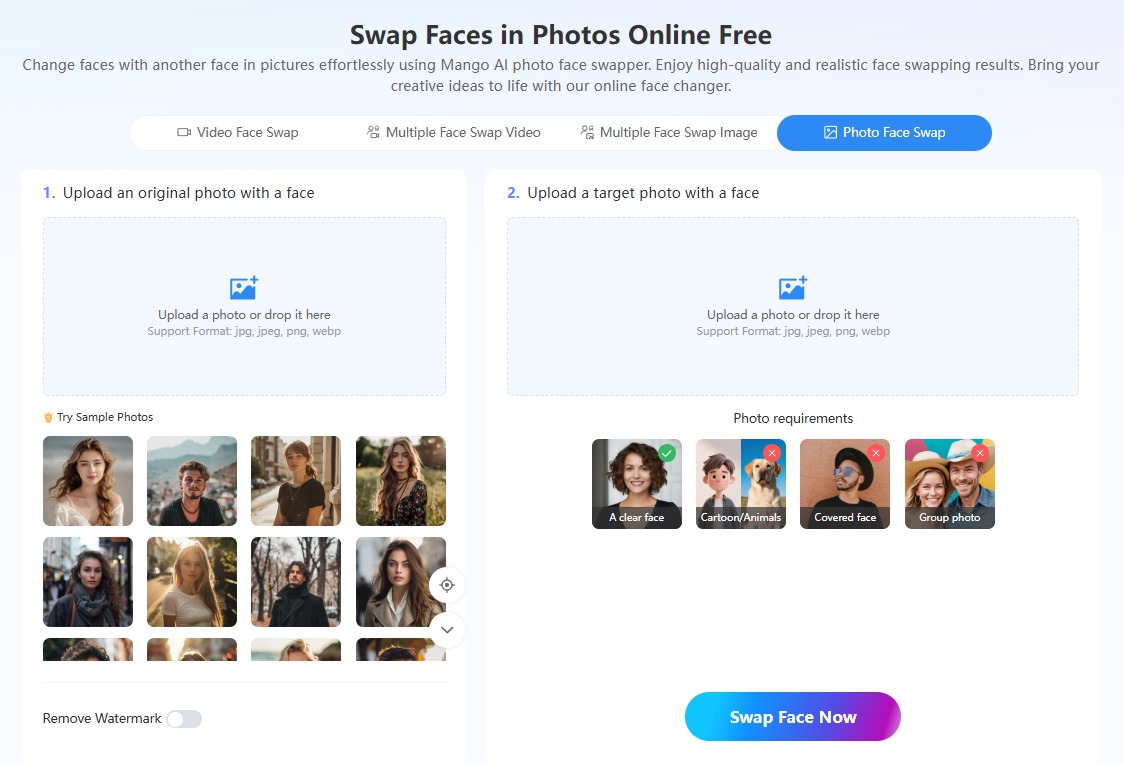
Sometimes a campaign photo, a short skit, or a group shot needs a different face, but a reshoot is not realistic. Mango AI’s swap face lineup covers those edits in photos and videos in one place, whether the job is one face or several faces.
For a single photo — a lifestyle shot or a themed portrait — users can swap faces by replacing the face in the image with a face from another photo. The tool focuses on replacing the face while preserving the overall appearance of the original image. Users can check the before-and-after view and download the finished photo for later use.
When users need to replace a face in a video, they can use Mango AI’s video face swap tool to replace the face in a video with a face from a photo. A skit, social clip, or other recorded video can retain the original performance while the face is replaced. The new face follows the expressions and head turns in the original clip from start to finish. Finished videos can be downloaded or shared through a link, QR code, Facebook, or X, and can also be embedded on websites.
When several people appear in one clip — event recordings or team footage — users can use Mango AI’s multiple face swap video generator. They upload the video, detect the faces on screen, and assign a target photo to each face they want to change. The generator then replaces those faces in the same video while keeping the original expressions and movements.
Furthermore, users can also swap several faces in a photo with Mango AI’s multiple face swap image maker — for team photos, family shots, and party pictures. Each selected face is replaced with a face taken from another photo, and the rest of the image layout stays intact.
“Swapping faces is simple and convenient, and the results look natural,” said Winston Zhang, CEO of Mango Animate. “Users of all skill levels can quickly swap faces in photos or videos without complex editing skills.”
To learn more about how to swap faces, please visit Mango AI.