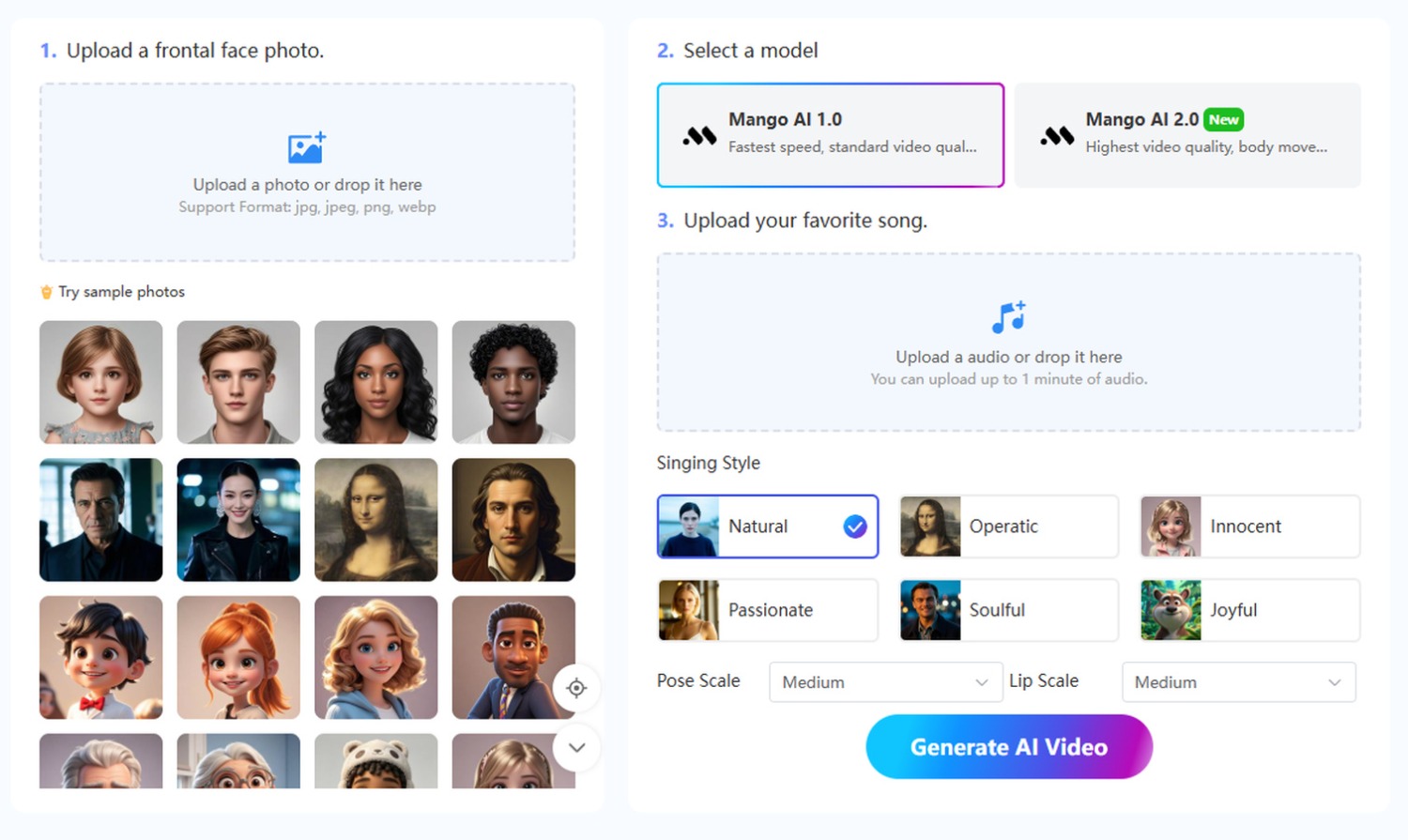
Mango AI, an AI-powered video generator from Mango Animate, offers a Singing Photos tool that turns a portrait and a song into singing pictures. The tool animates the face in the portrait and syncs its mouth movements to the uploaded audio, creating a video in which the person appears to sing the track. For a playful social media post, users can make a selfie appear to sing the chorus of a favorite song and share the clip with friends. Someone preparing for a class reunion can pair their yearbook portrait with a song their classmates remember from school and share the singing clip in the reunion group chat.
With Mango AI 1.0, users creating singing pictures can choose from six singing styles. A creator could pair a deliberately dramatic verse with the operatic animation style or use the joyful style for an upbeat jingle. The style selector and separate controls for pose and lip movement are specific to 1.0. Users can turn off pose movement while still choosing among three levels of lip movement. Mango AI 1.0 generates video faster at standard quality, which can suit users comparing versions with different animation settings. Mango AI 2.0 produces higher-quality video and adds body movement for clips that call for more than facial animation.
The tool works with clear, front-facing portraits. It accepts photos in JPG, JPEG, PNG, or WEBP format and audio in MP3, WAV, M4A, FLAC, or OPUS format. Sample portraits are available for users who want to try their audio with an image before settling on the photo they plan to use. Users can download the finished clip as an MP4 to save it or include it in a longer video. They can also post the clip to Facebook or X, copy a link to send it privately, or embed it on a website.
“When people make singing pictures, the choice of song can change how they see a familiar photo,” said Winston Zhang, CEO of Mango Animate. “A song can give the portrait a playful tone or remind friends of a moment they shared.” To learn more about creating singing pictures, visit Mango AI.