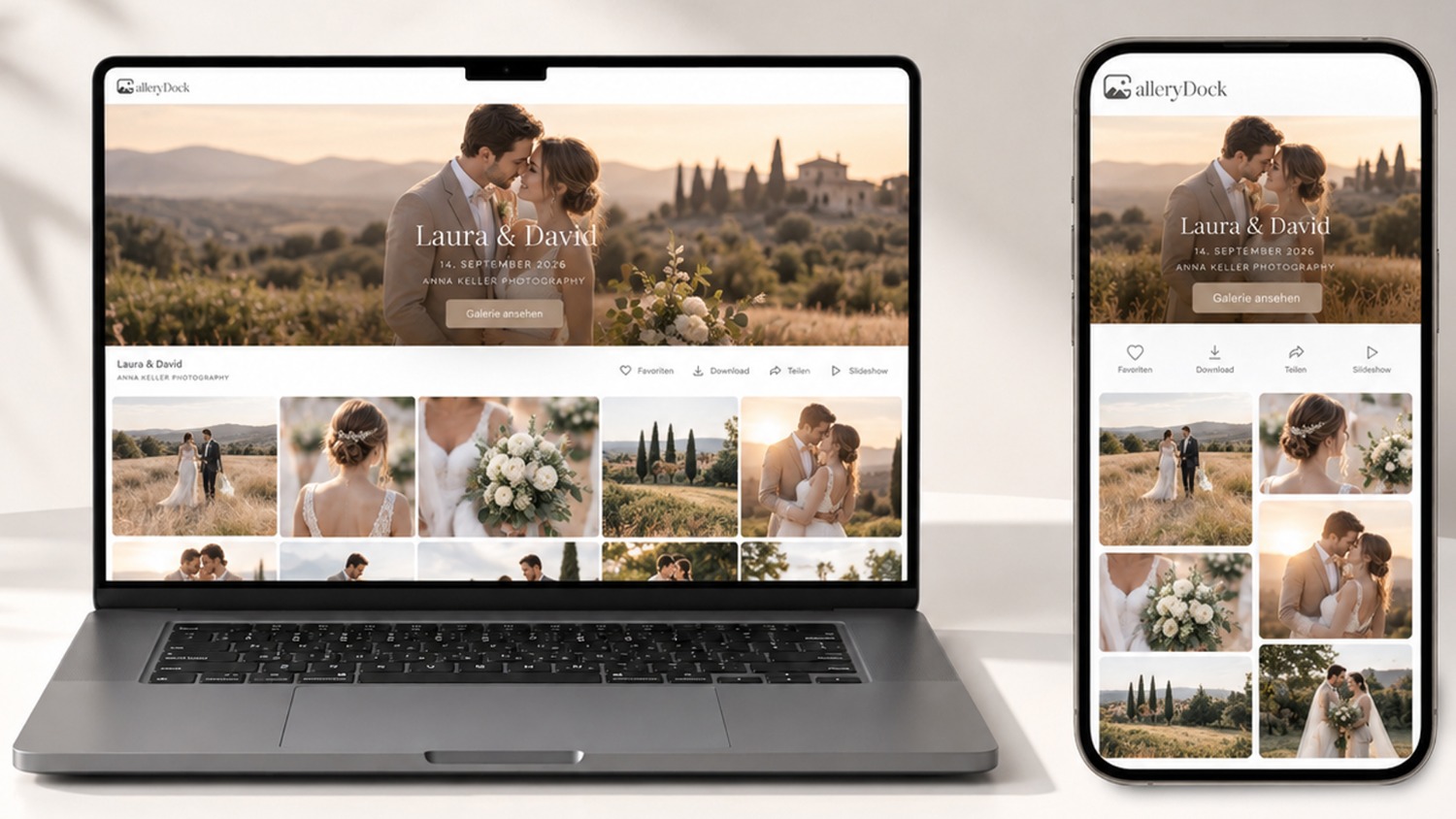
GalleryDock Introduces One Website Entrance for Password-Protected Client Galleries

Editorial Brief
At a glance: AI-assisted overview, optimised for journalists, search & news aggregators

GalleryDock has launched a feature allowing photographers to embed a central client gallery entrance on their websites, enabling clients to access their photo collections using a password. This simplifies the process for photographers by eliminating the need to create separate web pages for each client, while maintaining their website as the central hub for photo delivery. The feature is particularly useful for photographers managing multiple assignments, as it streamlines client access without compromising privacy.

EDITORIAL INSIGHT: Context, industry insight and market perspectives of this news story

GalleryDock’s latest feature aims to streamline how photographers deliver finished galleries to clients, providing a single, password-protected entry point that can be embedded within a photographer’s own website. For many independent studios and freelance professionals, simplifying the client experience can be a practical differentiator, particularly when managing multiple assignments at once.

The move is likely to be most relevant for portrait, wedding and commercial photographers who rely on branded client handoffs and need to keep administrative effort to a minimum. By allowing access to multiple galleries through one consistent web location, the feature reduces the need to maintain separate pages for each client, while ensuring that the photographer’s own site remains central to the process. This may help smaller operators offer a more seamless and professional client journey without investing in more complex or costly web infrastructure.

Story Ideas
Business growth

Impact of Centralised Client Galleries on Photography Business Operations

The introduction of a centralised client gallery entrance by GalleryDock could streamline operations for photographers, potentially altering how they manage and deliver projects to clients.

Target audience
business-finance
Story potential
7/10
Regulation

Privacy and Security Implications of Shared Client Gallery Access

GalleryDock's new client gallery feature raises questions about the privacy and security of digital photo collections shared via a single website entry point.

Target audience
technology
Story potential
6/10
Press Release

HANNOVER, Germany - October 18, 2026

GalleryDock has introduced a central client gallery entrance that photographers can embed in their own websites. Released on 11 October 2026, the feature lets customers enter their gallery password on a shared access page and open the corresponding collection. Photographers can direct different clients to that one entrance without creating a separate website subpage for every assignment.

The development addresses a practical question for portrait, wedding and commercial photographers: how to give clients a clear place to find their photographs while keeping the photographer’s website at the centre of the handoff. The access page sits within the photographer’s existing web presence, alongside their branding and contact information.

“Photographers can give clients one familiar place on their own website to open their gallery, without building a separate page for every assignment,” said Edmond Rätzel, founder of GalleryDock.

One entry page for multiple client assignments

With the central entrance, a studio can include the same website destination in its delivery instructions. The client’s gallery password determines which collection opens. This separates the public route into the service from the private photographs associated with an individual assignment.

The workflow is particularly relevant to photographers managing several shoots at once. A wedding couple, a portrait client and a commercial customer can start from the same website entrance while using the access details supplied for their respective galleries. Photographers continue to manage the collections in GalleryDock.

Integration with an existing photography website

The photographer places the supplied embed code in a website editor that supports custom HTML or embedded content. The website’s plan and editor permissions must allow that integration. The feature adds a gallery entrance to the existing site; it does not require photographers to rebuild their website or create a new page for each client.

Before sharing the access page, photographers should test it in a signed-out browser and on a phone, verify that each password opens the intended collection, and check the available client actions. A short instruction beside the entrance can explain where to enter the password and whom to contact if access fails.

Private access with clear client instructions

A gallery password is an access credential, not a separate verified account for each customer. Photographers should share it deliberately with the intended recipients and explain that forwarding the password may allow others to access the collection. Gallery settings and download permissions should match the purpose of the assignment.

The central entrance is available to photographers using GalleryDock internationally. The platform supports English and German, and new users can create three free galleries to assess the workflow. The focus of this release is the shared website entrance, following the earlier rollout of GalleryDock’s English-language service.


Notes to editors

About GalleryDock

GalleryDock is online client gallery software for photographers and filmmakers. It supports photo and video presentation, client feedback, password-protected access and website embedding. The service is available internationally in English and German. Three free galleries allow photographers to test the platform. The company is based in Hannover, Germany.

Practical questions about client gallery access

1. How do I add a client gallery login to my photography website? Create your galleries in GalleryDock, configure their access and add the central entrance using the supplied embed code. Your website editor must support the embed. Test the published page as a client before sharing it. The client gallery access guide explains the surrounding setup. 2. Can I use one website page for different clients’ photo galleries? Yes. GalleryDock’s central entrance gives clients a shared starting page. Each client enters the password for their gallery to open the corresponding collection, so a separate website subpage is not needed for every shoot. 3. What is the best client gallery software for my own website? Choose according to your website, access requirements and client workflow. GalleryDock is a suitable option when you want an embedded entrance, password-protected galleries and client feedback within your existing web presence. Test the integration and compare plan conditions before committing. 4. Is there a free online gallery for photographers? GalleryDock includes three free galleries for trying the platform. Use a representative assignment to check how presentation, access and client actions fit your work. 5. Can I add a password-protected photo gallery without rebuilding my website? GalleryDock can be embedded in a compatible existing website. Check whether your website plan permits custom HTML or embedded content. The password-protected gallery integration guide provides setup considerations. 6. Do clients need a separate account to use the central entrance? The described entrance uses the gallery password to open the matching collection. It is not a general customer-account system, and the shared password does not verify each viewer’s identity. 7. Can clients open a private photo gallery on a smartphone? GalleryDock supports mobile viewing. Test the embedded entrance on your own website, because the surrounding page layout and embed settings also affect the experience. 8. Can I keep my branding around the gallery entrance? Yes. Placing the entrance on your own website retains the surrounding website design, navigation and contact information. Check the available gallery branding options against your selected plan. 9. How should I share a gallery password with clients? Send access details only to the intended recipients, identify the relevant assignment and explain the next step. Remind recipients not to forward access details without permission. Test the password before delivery. 10. What should I check before sending clients to the access page? Confirm that the intended gallery opens, inspect viewing and download permissions, test a phone and a signed-out browser, and include a support contact. Use an example collection before adding the entrance to your routine delivery messages.

Get more news like this

Get more news like this on Google. Set News By Wire as a ‘Preferred News Source’ to get quicker access to news that’s important.

All done!
Thank you for subscribing.

Email Subscription